
Construction document control is the systematic discipline that ensures every project participant works from the right, authorised version of every drawing, RFI, submittal, and change order. For UK quantity surveyors producing NRM2-aligned Bills of Quantities, it is the foundation on which accurate measurement rests. Get it wrong, and your takeoff is built on superseded geometry.
Every QS team needs five controls in place before measuring begins:
- File naming standard — consistent, self-describing names that encode discipline, drawing number, and revision code
- Revision and status tracking — separate codes for iteration (e.g. P04) and permitted use (e.g. S4), never conflated
- Central document register — a single log of every issued drawing with current revision, issue date, and distribution record
- Role-based access — defined permissions so only authorised users can supersede or approve files
- Audit trail — a timestamped record of every issue, receipt, and change that is defensible at valuation or dispute
Pro Tip: Before measuring a single element, check two things: the revision code (is this the latest iteration?) and the status code (is it authorised for construction?). A drawing at revision P06 with a status of "for information only" is not a valid measurement source under NRM2.
Table of Contents
- What are the four pillars of construction document control?
- Why does document control change outcomes for quantity surveyors?
- How do you implement document control with cloud and AI tools?
- Phased rollout checklist for UK SME firms
- Common pitfalls in document control and how to avoid them
- How Quantiflow supports document control and NRM2-aligned BoQs
- Key takeaways
- A practitioner's view on daily document-control habits
- Try a Quantiflow pilot on your next project
- Useful sources and further reading
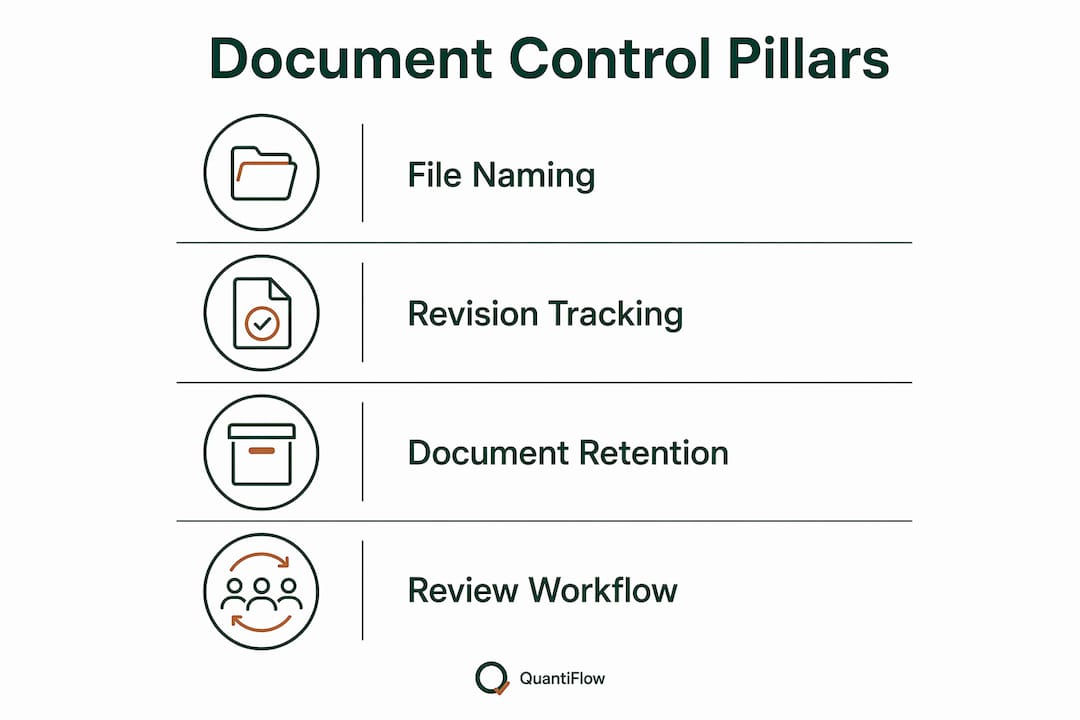
What are the four pillars of construction document control?
Document control in construction is built on four repeatable practices. Each one addresses a specific failure mode that costs QS teams time and money.
| Pillar | Risk mitigated | QS action required |
|---|---|---|
| File naming and metadata | Measuring from an unidentified or mislabelled drawing | Verify drawing number and revision against the register before opening |
| Revision vs status separation | Building or pricing from an unauthorised file | Confirm status code is S4 (or equivalent) before extracting quantities |
| Central register and transmittals | Disputed distribution — "we never received that revision" | Cross-reference transmittal receipt against your measurement date |
| Role-based access and audit logs | Unauthorised edits or untracked supersessions | Check audit log if a drawing appears to have changed between sessions |
Under the UK BIM Framework and ISO 19650, revision codes track iteration and status codes track permitted use. Conflating them is a leading cause of teams building from files not authorised for construction. The fix is structural: your CDE must enforce separate fields for each, not a single combined label.
Retention matters too. UK construction records typically need to be held for the duration of the limitation period under the Limitation Act 1980 — six years for simple contracts, twelve for deeds. Your document-control procedure should specify retention periods and the ICO's data-protection requirements for any personally identifiable information held in project records.
Pro Tip: During a document handover review, check whether the transmittal log and the drawing register agree on the current revision of every sheet; a mismatch between the two is the clearest sign of a failed pillar.
Why does document control change outcomes for quantity surveyors?
Good document control reduces rework, schedule slippage, and valuation disputes. That claim is not aspirational — it is the direct consequence of measuring from authorised drawings rather than whatever landed in your inbox last.
When a drawing revision is not the latest-approved version, an NRM2 takeoff breaks in predictable ways:
- Scope has moved (a partition wall relocated, an opening added)
- Dimensions have been updated (slab thickness revised, floor-to-floor height changed)
- Specification has changed (a material substitution that alters measured items or rates)
Each of these mismatches produces a remeasure, a change order, or a dispute. Autodesk data suggests construction professionals can spend up to 35% of their time searching for project information — time that compounds directly into cost when the information found turns out to be wrong.
Automated cross-referencing between drawing revisions and takeoff data changes this dynamic. When an AI tool flags that a measured item references revision P03 but the register now shows P05 as current, the QS can investigate before the BoQ is issued rather than after the valuation is disputed.
Useful KPIs to track: rework incidents per project phase, average time to issue resolution, and the percentage of measured items traceable to a latest-approved revision. These three metrics tell you whether your document-control programme is working in practice.
How do you implement document control with cloud and AI tools?
A repeatable workflow for QS teams runs in seven steps: receive → log → check status → register → extract → cross-check → approve → issue. Each step has a clear owner.
AI tools fit at the extract and cross-check stages. Quantiflow, for example, ingests PDF drawings, extracts measured items, and cross-references them against revision metadata so the QS can see exactly which drawing version underpins each quantity. The role of drawings in quantity measurement is preserved — the AI accelerates extraction, but the QS retains the judgement call at every review gate.
Role responsibilities at each stage:
- Document controller / PM: receives, logs, and registers incoming drawings; issues transmittals; maintains the register
- QS: checks revision and status before measuring; reviews AI-extracted quantities; applies professional judgement overrides; approves BoQ output
- Site superintendent: confirms field sets match the current register; flags discrepancies to the document controller
Professional judgement must be preserved explicitly. Build review gates into your workflow at two points: after AI extraction (before quantities are accepted) and before BoQ issue (after cross-checking against the register). Every override should be logged with a reason — that audit trail is your evidence if a change claim is later disputed.
Pro Tip: When reconciling an AI-generated takeoff with an architect's revision cloud, compare the revision cloud boundary directly against the measured items list. Any item whose geometry falls within the cloud boundary should be flagged for manual review, even if the AI has already updated the quantity.

Phased rollout checklist for UK SME firms
A six-to-twelve-week pilot is the right scope for an SME QS firm adopting a controlled, AI-assisted document workflow. Start narrow, prove the process, then expand.
| Phase | Milestone | Owner | Expected outcome |
|---|---|---|---|
| — | Appoint document-control owner; agree naming convention; define revision/status workflow; set access roles | Practice principal / senior QS | Governance framework in place before first drawing is ingested |
| — | Load pilot project drawings; map existing names to convention; build initial register | Document controller / QS | Clean, versioned drawing set with transmittal log |
| — | Run AI-assisted takeoffs on pilot project; QA against manual baseline; log variances | QS | BoQ variance vs manual baseline established; review gates tested |
| — | Roll out to two additional projects; integrate with rate library; track KPIs | Senior QS / PM | Repeatable workflow confirmed; KPIs trending in right direction |
Integration priority: connect your CDE to your estimating and takeoff software first, then link the rate library for live pricing. Quantity surveying software that integrates with a live UK rate library removes a manual re-keying step that is a common source of pricing error.
KPIs to monitor during the pilot: drawing search time is targeted to be very short per sheet, BoQ variance against manual baseline is targeted to be within a small acceptable range on like-for-like items, and the target is to have no rework incidents triggered by drawing-version errors after the pilot period.
Pro Tip: Assign the document-control owner role before the pilot starts, not during it. Pilots that begin without a named owner default to "everyone's responsibility" — which means no one checks the register.
Common pitfalls in document control and how to avoid them
Most document-control failures are predictable. Here are the five most common, with immediate corrective actions:
- Conflating revision and status codes. Enforce separate fields in your CDE from day one. A drawing at P05/S2 is not authorised for construction regardless of how recent it is.
- Relying on email and spreadsheets. Fragmented workflows create multiple versions in circulation simultaneously. Move to a single system before the pilot ends.
- Late closeout planning. Register-first habits from project inception mean as-builts, O&M manuals, and final submittals assemble themselves. Starting at practical completion is too late.
- Weak access controls. If subcontractors can overwrite or supersede drawings, your register is unreliable. Set permissions explicitly and audit them monthly.
- Poor transmittal discipline. Verbal distribution with no record creates disputes. Every revision issue needs a logged transmittal with receipt confirmation.
Pro Tip: Run a fast health-check audit by picking five random drawings from the active set and asking: does the register agree with the file on site? If more than one of the five shows a mismatch, your information gap between field and office is already costing you money.
How Quantiflow supports document control and NRM2-aligned BoQs
Quantiflow automates the document-control steps most likely to introduce error in a QS workflow: drawing ingestion, revision cross-referencing, quantity extraction, and BoQ formatting to NRM2 structure.
The feature-to-benefit mapping is direct:
- AI extraction from PDFs — measured items pulled from architectural drawings without manual digitising, traceable to the source drawing and revision
- Revision metadata and audit logs — every quantity carries provenance; the audit log records which drawing version was used and when
- NRM2-aligned BoQ templates — output structured to RICS NRM2 work sections, ready for pricing
- Live UK rate library — quantities priced against current UK rates without leaving the platform
- PDF and Excel export — BoQ delivered in the format your client or contractor expects
QS oversight is preserved through review gates at extraction and approval stages, with manual override controls at the item level. Nothing is accepted without the QS signing off. That is the difference between AI-assisted measurement and AI-replacing-measurement.
Pro Tip: Run a Quantiflow pilot on one active project drawing set. Ingest the drawings, run the AI takeoff, and compare the output against your manual BoQ. The variance report tells you exactly where the process adds value and where your professional judgement needs to intervene.
Key takeaways
Effective construction document control requires separating revision codes from status codes, maintaining a central register with transmittal logs, and linking every measured quantity to a latest-approved drawing before a BoQ is issued.
| Point | Details |
|---|---|
| Check status before measuring | Confirm both revision code and status code are current and authorised before extracting any quantities. |
| Separate revision from status | ISO 19650 and the UK BIM Framework require distinct codes; conflating them is a leading cause of pricing from unauthorised files. |
| Track three KPIs | Monitor rework incidents, time-to-issue-resolution, and percentage of quantities tied to latest-approved revisions. |
| Run a six-to-twelve-week pilot | Start with one project, prove the workflow, then expand — assign a named document-control owner before the pilot begins. |
| Quantiflow for NRM2 BoQs | Quantiflow automates AI extraction, revision cross-referencing, and NRM2-aligned BoQ output while preserving QS review gates. |
A practitioner's view on daily document-control habits
The QS who checks drawing status at the start of every measurement session is not being pedantic. They are protecting their BoQ from the single most common source of remeasure: a revision that arrived after the last issue and before the current one, quietly changing a dimension or a specification that no one flagged.
The daily habit that matters most is a two-minute register check before opening any drawing. Cross-reference the sheet number against the register, confirm the revision matches, and note the status code. If the register and the file disagree, stop and resolve it before measuring. That discipline, applied consistently, is what makes a BoQ defensible at valuation.
Short handovers with the site team are equally valuable. A five-minute call at the start of each week to confirm which revisions have been issued and received closes the information gap between field and office before it becomes a dispute. When a change claim arises, the QS with a clean transmittal log and a timestamped audit trail wins the argument. The QS relying on email threads does not.
Try a Quantiflow pilot on your next project
Fewer remeasures, traceable quantities, and an NRM2-aligned BoQ produced in a fraction of the time — that is what a controlled, AI-assisted workflow delivers. Quantiflow gives UK QS teams exactly that, without a lengthy implementation or a long-term contract.
The pilot is straightforward: ingest one active project's drawing set, run the AI takeoff, and compare the output against your manual BoQ. You will see the variance, the audit log, and the NRM2-structured export within a single session. Pricing starts at a monthly fee affordable for solo practitioners, with Business and Enterprise tiers for larger teams. Data is retained securely in line with UK requirements, and PDF and Excel exports are available from day one.
Start your pilot at quantiflow.co.uk and have a measured, priced BoQ ready before the week is out.
Useful sources and further reading
Governance and standards:
- UK BIM Framework / ISO 19650 implementation guidance — authoritative source on revision and status code separation; essential reading for any team adopting a CDE
- RICS NRM2 — the measurement rules underpinning every BoQ produced for UK construction projects
Practical how-to references:
- Construction document control: a practical guide (Fieldwire) — accessible overview of the document lifecycle and core control practices
- Construction document control procedure and register (QIC Management Systems) — practical template guidance for registers and transmittal rules
- Best practices for construction document control (Autodesk) — ten practitioner tips including the cost of time spent searching for project information
- What is document control in construction? (Datagrid) — clear explanation of how document control differs from general document management
- Construction document control workflow: a step-by-step guide — phase-by-phase breakdown from preconstruction to closeout
Quantiflow resources:
- AI quantity takeoffs for UK QS firms (Quantiflow) — pilot entry point and full platform overview