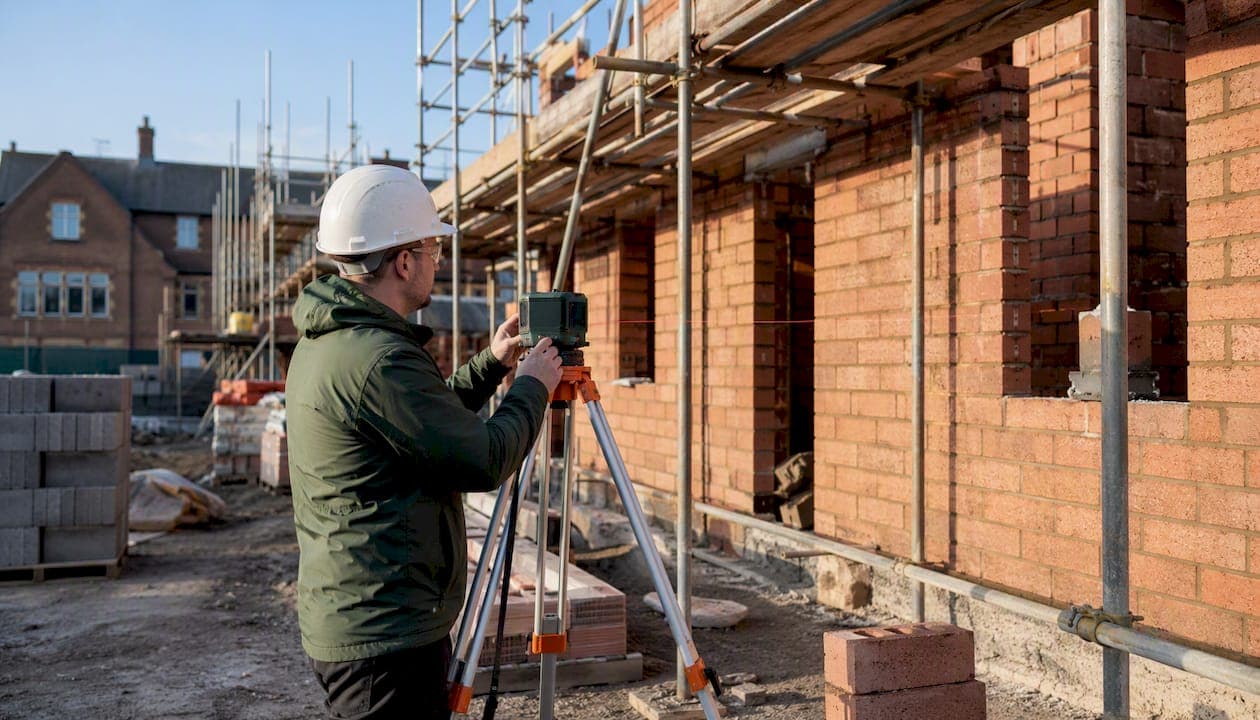
The three takeoff errors that most often blow a bid are scale miscalibration, scope omissions (builders' work, firestopping, MEP fixings), and duplication across trades. When you suspect any of them, run a focused short triage before anything else: confirm the drawing revision is current, verify your PDF calibration against a known dimension, and spot-check your highest-value line items against a comparable past project. Scale miscalibration alone accounts for roughly 34% of manual takeoff mistakes, making it the single most damaging and most preventable error type.
The Construction Specifications Institute (CSI) MasterFormat structure gives you a ready-made framework for organising line items by trade, which makes omissions far easier to spot. Tools such as Quantiflow, which log every revision and preserve your professional judgement at override points, add a traceable audit trail to that process.
Key takeaways
Preventing takeoff errors requires three controls working together: calibrated measurement, a peer-review loop with a named sign-off, and a versioned audit trail that makes every change traceable.
| Point | Details |
|---|---|
| Scale calibration is the priority | Miscalibration accounts for ~34% of manual errors; verify against a known dimension before measuring. |
| Omissions compound fast | Missed MEP fixings and waste factors can add 15–20% to scope; use templates to apply them by default. |
| A 1% error can cost six figures | On large projects, a 1% quantity error can compound to an 8–12% bid variance. |
| Peer review beats re-measure | A 30–60 minute focused review of high-value lines yields the biggest risk reduction for the least effort. |
| Quantiflow preserves your audit trail | PDF-to-BoQ automation with override points and revision logs maps directly to the controls above. |
Table of Contents
- What are the most common takeoff errors, and why do they happen?
- How do you detect and audit takeoff errors before submission?
- A step-by-step prevention and correction workflow you can adopt today
- What software features actually reduce takeoff errors?
- Printable pre-submission QA checklist
- When does a takeoff error become a costly problem?
- The habits that separate reliable estimating teams
- Quantiflow gives you an auditable takeoff from PDF to BoQ
- Sources
What are the most common takeoff errors, and why do they happen?
Scale miscalibration is the error that catches even experienced estimators. A PDF printed at a non-standard DPI, or a drawing set where the architect has changed the plot scale between revisions, produces measurements that look plausible but are systematically wrong. Manual scale misreads produce 12–18% bid inaccuracies in some studies, and the root cause is almost always an unchecked assumption: the estimator trusts the scale bar without verifying it against a known dimension.
Waste-factor omissions are quieter but equally costly. Industry-standard waste factors sit in the 5–15% range depending on material and complexity; skipping them produces a systematic underbid that compounds across every affected line item. The fix is a material-specific template that builds waste factors in by default, not a manual addition at the end.
Small but numerous items are the third pattern. Hangers, fixings, and builders' work, in connection with MEP, can add 15–20% to mechanical and plumbing scopes if missed. These items rarely appear on a single drawing; they are scattered across structural, mechanical, and architectural sheets, which is precisely why they fall through the gaps.

| Error type | Typical root cause | Indicative impact |
|---|---|---|
| Scale miscalibration | Unchecked PDF DPI or revised plot scale | ~34% of manual mistakes |
| Waste-factor omission | No template default; added manually | Systematic underbid across materials |
| BIM export blind trust | Model reflects design intent, not site layers | Hidden omissions in layered assemblies |
| MEP fixings / hangers | Scattered across multiple drawing sheets | Up to 15–20% added to M&P scope |
| Trade duplication | No cross-trade reconciliation step | Inflated quantities; lost bid competitiveness |
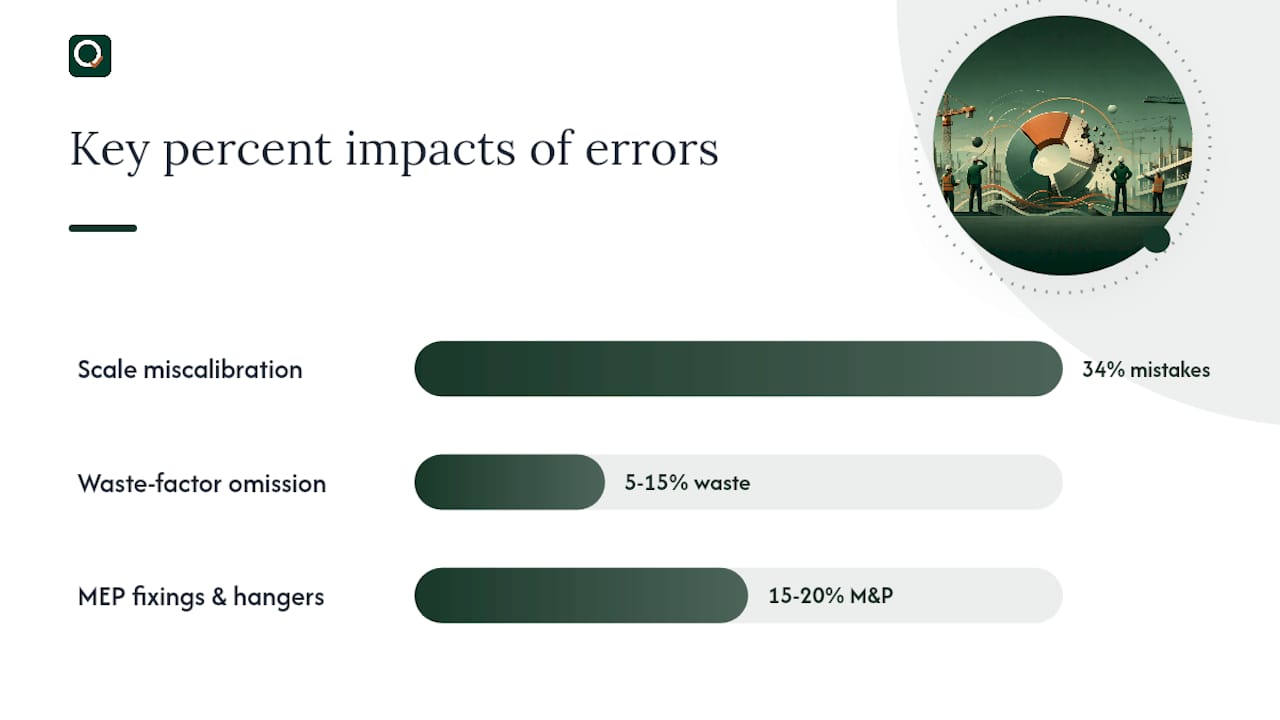
Cross-company workflow gaps between design and estimating teams amplify every one of these root causes, particularly when drawing revisions are shared informally rather than through a controlled issue register.
How do you detect and audit takeoff errors before submission?
Start with the highest-value line items.
- Confirm drawing revision. Check every sheet against the issue register. A single superseded drawing can corrupt an entire trade package.
- Verify scale calibration. Measure a known dimension (a door opening, a structural grid) and compare it to the drawing annotation. If it differs by more than 2mm at scale, recalibrate before measuring anything else.
- Spot-check three high-value lines. Pick the three largest quantities by value and cross-check them against a comparable past project. A deviation of more than 10% without a clear design reason is a red flag.
- Check for missing small items. Run through your MEP scope and confirm hangers, fixings, and builders' work in connection are itemised. These are the lines most often absent from a first-pass takeoff.
- Look for duplicated quantities. Where two trades share a boundary (structural steel and cladding, for example), confirm that the interface item appears in exactly one trade package.
- Review waste and lap factors. Confirm that every material line carries its correct factor, not a blank or a copied value from a different project.
Digital takeoff tools reduce error rates by automating calibration, running totals, and page-completion tracking, which means the checks above take minutes rather than hours when the right software is in place.
Pro Tip: Use your tool's page-completion indicator to confirm every sheet has been measured before you run totals. A single skipped sheet on a large residential project can represent tens of thousands of dollars in missing scope.
A step-by-step prevention and correction workflow you can adopt today
The answer is a five-step workflow with a named actor at each stage.
| Step | Actor | Action | Decision point |
|---|---|---|---|
| 1. Drawing prep | Estimator | Confirm revision, calibrate scale, flag ambiguities | Accept or request clarification |
| 2. Disciplined measurement | Estimator | Measure trade by trade using CSI structure; apply waste factors from template | Escalate if spec is unclear |
| 3. Peer review | Senior QS / peer | Spot-check top 20% of lines; verify builders' work and MEP fixings | Accept, revise, or escalate |
| 4. Change control | Estimator + reviewer | Log all revisions with reason and date; update BoQ version number | Reject untracked changes |
| 5. Final sanity check | Estimator | Compare totals against benchmark; confirm no open flags | Submit or hold |
Role responsibilities in brief:
- Estimator: owns measurement accuracy, waste factors, and version numbering.
- Peer reviewer: owns the commercial sanity check and the builders' work audit.
- Project lead / architect: owns drawing issue control and addenda notification.
Without version control, tracing a rework line item to its takeoff cause becomes a guessing exercise and prevents the pattern correction that stops the same mistake recurring. A centralised audit trail is not optional; it is the mechanism that turns a one-off error into a learning event.
Rushing takeoffs to meet bid deadlines and failing to check addenda are repeatable human errors that process and training controls can correct. Building the five steps above into a standing workflow removes the dependency on individual memory.
What software features actually reduce takeoff errors?
Prioritise these features when evaluating any takeoff tool:
- Automated PDF calibration that flags when a measured dimension does not match the annotation.
- Page-completion tracking so no sheet is skipped silently.
- Running totals that update as you measure, catching aggregation errors before export.
- Audit log and revision history that records every change with a timestamp and reason.
- Professional-judgement override points that let you correct or adjust an automated quantity without losing the audit trail.
- Cross-reference export that maps BoQ line items back to the drawing sheet and revision they came from.
Quantiflow's approach aligns directly with these controls. Its AI extracts and cross-references quantities from PDF architectural drawings, logs every revision, and preserves override points so the quantity surveyor's judgement remains on record. That matters for accountability: if a client or contractor queries a quantity, the audit trail shows exactly what was measured, from which revision, and whether it was manually adjusted. For a deeper look at how quantity surveying software reduces common errors, the Quantiflow blog covers the evidence in detail.
Printable pre-submission QA checklist
Run these checks in order before you submit a bid.
Total time: 45 minutes. Every check should carry a named sign-off before the file leaves the office.
When does a takeoff error become a costly problem?
A 1% quantity error can compound into an 8–12% bid variance and has been linked to six-figure losses on large projects. That figure is not a worst-case outlier; it is a plausible outcome when scale miscalibration or a scope omission goes undetected through to contract award.
Use this priority matrix to decide how to respond when you find an error:
| Value of affected scope | Likelihood of error | Response |
|---|---|---|
| High (–) | High | Pause bid; re-measure; peer review |
| High (–) | Low | Add contingency; document assumption |
| Low (–) | High | Correct and log; no bid pause needed |
| Low (–) | Low | Accept; note in risk register |
Decision thresholds:
- Pause the bid when a high-value line deviates more than 10% from benchmark and the cause is unclear.
- Add contingency (typically 2–5%) when the scope is ambiguous but the drawing set is complete.
- Escalate to the client when a drawing conflict or missing specification makes accurate measurement impossible without clarification.
For context on how different estimate types carry different accuracy expectations, the Quantiflow guide on types of construction cost estimates is worth reading before you set your contingency thresholds.
The habits that separate reliable estimating teams
The single habit that matters most is a documented peer-review loop with a short audit trail. Not a full re-measure, not a lengthy QA meeting. A 30–60 minute focused review of the highest-value lines, with a named reviewer and a written record of what was checked and what was changed.
Teams that do this consistently find errors before submission. Teams that skip it find them after. The difference is not talent; it is process.
Training should focus on two things: reading drawing revision clouds correctly, and applying waste factors from a template rather than from memory. Both are low-effort to teach and high-impact to get right. A monthly project audit, where one completed estimate is reviewed against the final account, builds the pattern recognition that prevents repeat mistakes. A quarterly process review, where the workflow itself is examined, catches systemic gaps before they become commercial habits.
Automation is most valuable where human attention is least reliable: calibration, page-completion, and aggregation. Human judgement remains essential for scope interpretation, specification reading, and anything that requires understanding design intent. The best teams use software to handle the mechanical checks and reserve their expertise for the decisions that actually require it.
Quantiflow gives you an auditable takeoff from PDF to BoQ
Losing a bid to a scale error or a missed fixings line is a preventable outcome. Quantiflow maps directly to the controls this article recommends: automated PDF calibration addresses scale errors at source; page-completion tracking prevents missed sheets; running totals catch aggregation mistakes before export; and a full audit log with override points keeps your professional judgement on record for every quantity.
The result is a structured, priceable BoQ from your PDF drawings, with a traceable revision history that stands up to client or contractor scrutiny. Pricing starts at £39/month for solo practitioners, with Business and Enterprise tiers for larger teams. To see how the audit-log and override model works in practice, start a trial at Quantiflow and run your next takeoff with a full revision trail from day one.
For further reading on reducing onboarding friction when multiple contractors share takeoff data, the EasyFlow guide on contractor onboarding automation is a practical companion piece.
Sources
- Takeoffs In Construction: How One Miscalculation Can Cost You $250,000 - AMC
- Construction Quantity Takeoff: Audit Your Last 5 Estimates | Dan Cumberland Labs
- Construction Takeoff: Measure Quantities Accurately to Win Bids Guide | Banamind